Omnibus Directive · in force since 28 May 2022
The 30-day lowest price, under every discount
When you announce a price reduction to EU consumers, you have to state the lowest price you charged in the 30 days before it. StoreCompliant shows that 30-day lowest price as a line under the discounted price, with the figure worked out for each variant.
On every plan, the free one included. Available for Wix Stores.
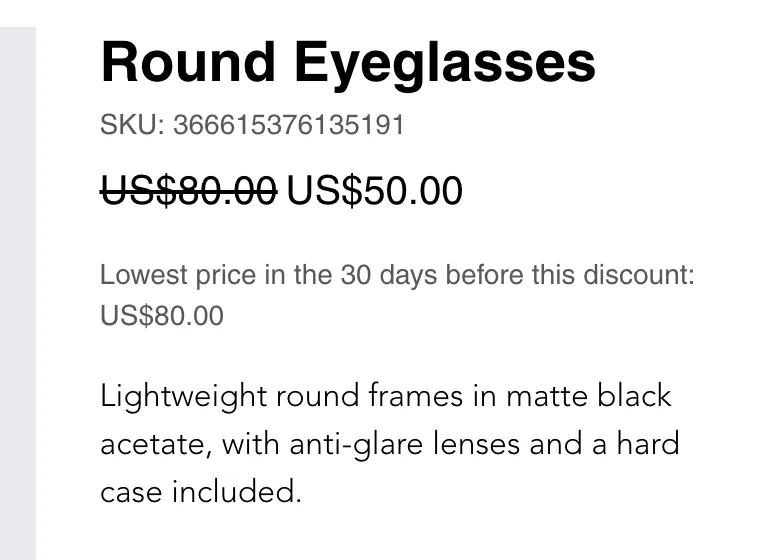
On your storefront
What shoppers see
One plain line under the price: “Lowest price in the 30 days before this discount”, followed by the figure.
- It appears only while a product is discounted. When the sale ends, the line goes away without you doing anything.
- Each variant gets its own figure, so size S and size L of the same product can show different amounts.
- It is written in the language of the shop page, in any of the 24 official EU languages.
- On Wix it adds itself to the product page. There is no code to paste and no theme to edit.
The figure
How the 30-day lowest price is worked out
The rule is in Article 6a of the Price Indication Directive 98/6/EC, added by the Omnibus Directive (EU) 2019/2161: the prior price is the lowest price the trader applied during a period of not less than 30 days before the reduction.
- 1
Every price change is recorded
From the moment you install the app, it records each change of price and the time of the change, variant by variant.
- 2
The window is the 30 days before the discount
When a variant goes on sale, the app looks at the 30 days before that discount started, not at the sale price itself.
- 3
The lowest price in that window is shown
The lowest price on record in those 30 days is the figure in the line under the discounted price.
An example with two variants
An illustration: a shirt comes in two sizes. Both go on sale at €39 on 1 June. Size S had been changed from €50 to €45 on 20 May; size L had stayed at €50. A single figure for the whole product would be wrong for one of them, which is why the app keeps a price history per variant.
| Variant | Price in May | Sale price | Figure in the line |
|---|---|---|---|
| Size S | €50, changed to €45 on 20 May | €39 from 1 June | €45.00 |
| Size L | €50 throughout | €39 from 1 June | €50.00 |
Discounts that were already running
No record, no figure
Recording starts when the app is installed. For a product that was already on sale at that moment, the app shows nothing until you give it the earlier prices.
The 30-day lowest price is a statement of fact about what you charged. For a discount that began before the app arrived, the app has never seen the price that came before the sale. Any figure it showed would be a guess: the crossed-out price might be the right answer, or the product might have been cheaper three weeks earlier.
So the careful choice is to show nothing for that product. A missing line is something you can see and fix. A wrong figure under your price looks fine and is not. The Products tab of the dashboard lists, for every product, whether the line is showing.
How to fill the gap
Import the product’s earlier prices from a CSV file. Once the app has a record of what the product cost before the discount, it shows the line. The import is included on every plan, the free one too.
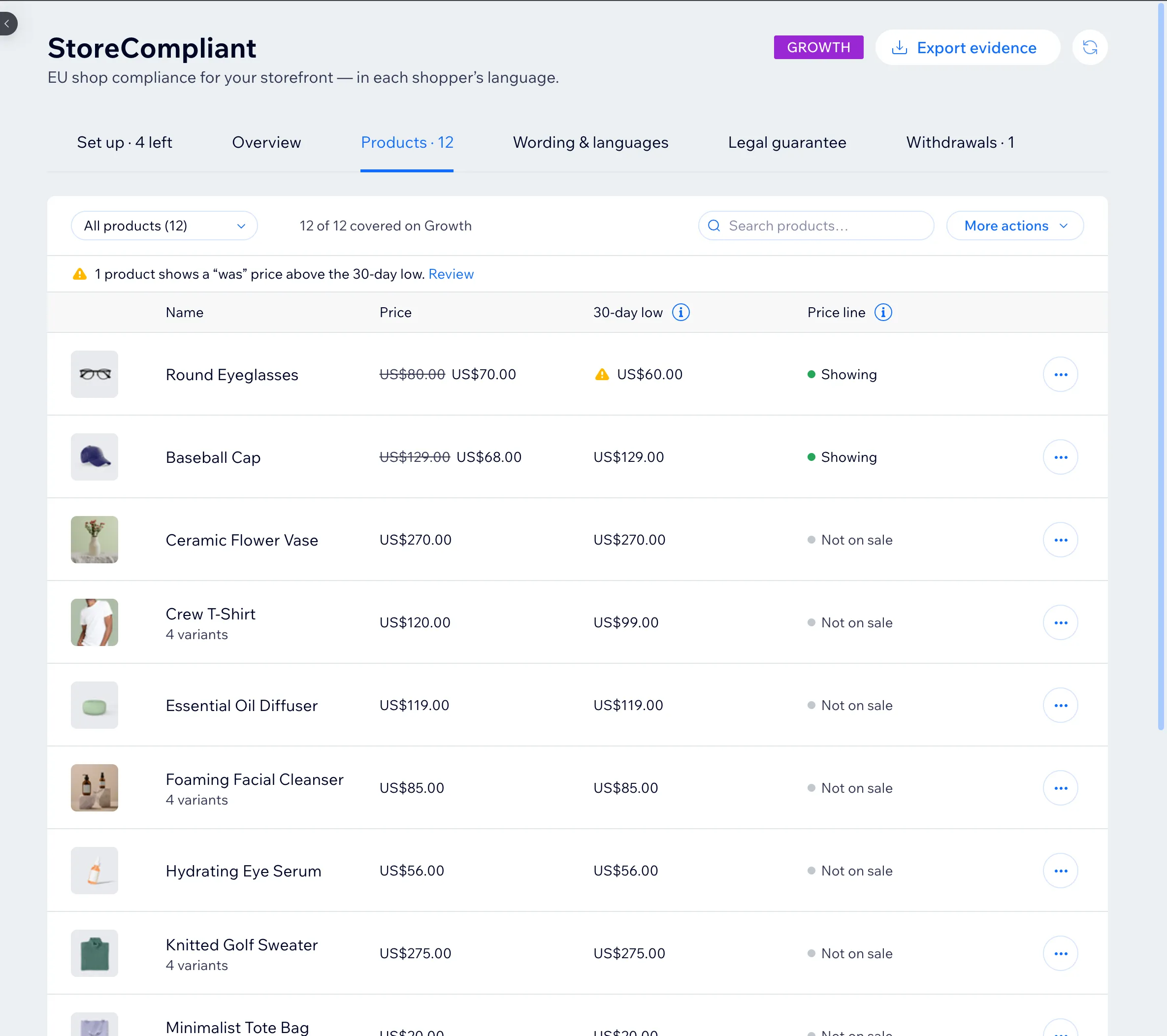
In the dashboard
A check on the crossed-out price
The line under the price is one half. The other half is the crossed-out “was” price you set yourself.
- The dashboard flags discounts whose crossed-out price is higher than anything on record for the 30 days before the discount. The note starts: “we have no record of this ‘was’ price being charged…”
- It states what is on record and nothing more. The app does not judge the discount and does not change your prices.
- In case C-330/23 (Aldi Süd, 26 September 2024) the Court of Justice of the EU held that an advertised reduction, such as a percentage, must be calculated from the lowest 30-day price. The flag shows you which discounts to look at first.
- The Products tab lists every product with its current price, its 30-day low and whether the line is showing.
Records, wording and languages
Evidence you can export, wording you can adjust
- Price evidence export Paid plans
- Export the price records as a PDF and as a CSV file, for when a customer or an authority asks what a product cost before a sale.
- Your own wording Paid plans
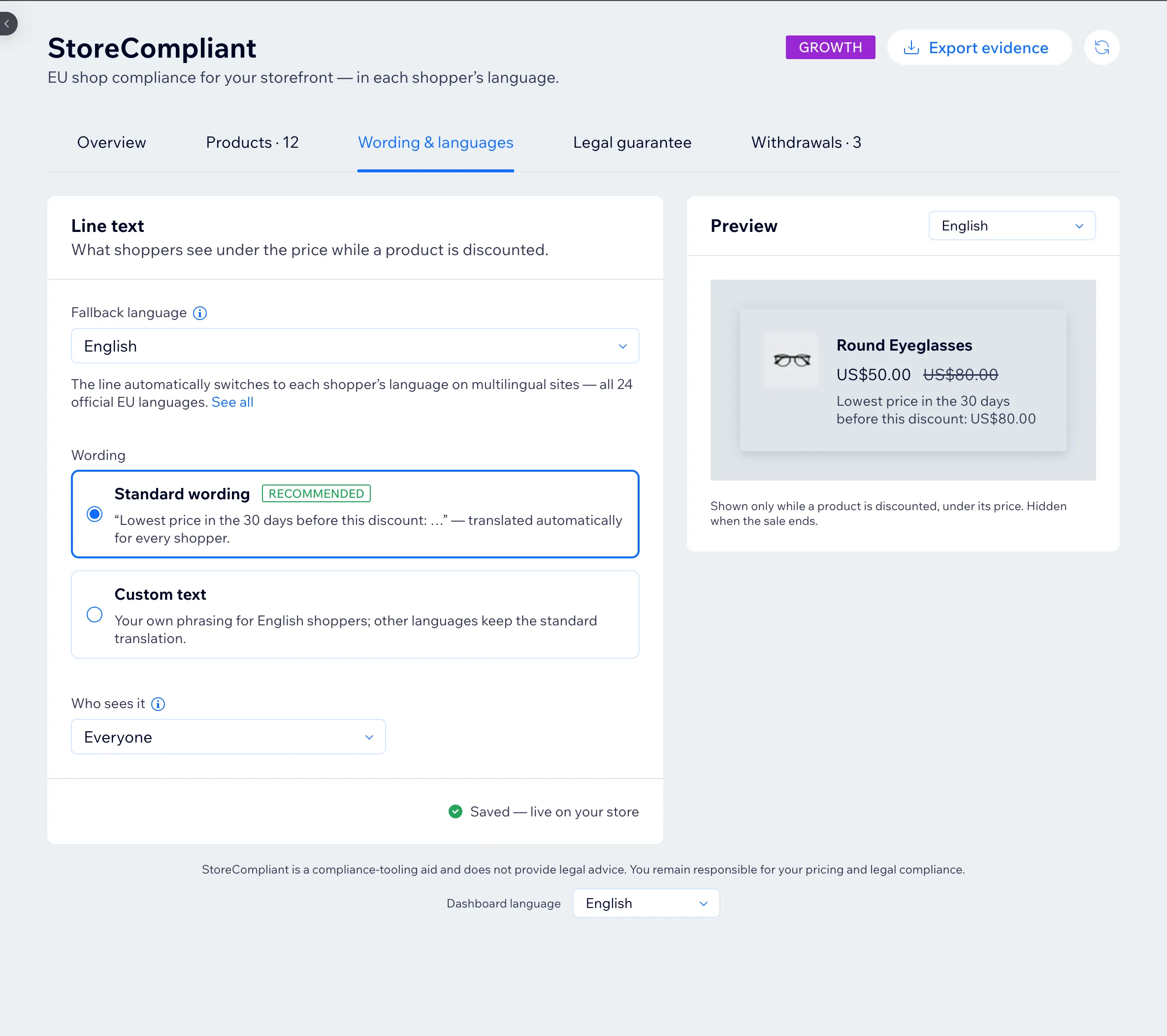
- The standard wording is recommended and needs no work. If you prefer your own phrasing, you can write it for your shop’s fallback language; other languages keep the standard translation.
- 24 languages, chosen automatically
- The line is available in all 24 official EU languages and follows the language of the shop page. A fallback language, which you choose, covers pages in any other language.
- EU and EEA visitors only Paid plans
- If you also sell outside Europe, you can show the line to visitors from the EU and EEA only.
Questions about the 30-day lowest price line
What exactly does the price line say?
Is the 30-day lowest price worked out per product or per variant?
Why is there no line on a product that was already on sale when I installed the app?
What does the “was” price check tell me?
Can I change the wording of the line?
Does the app apply national exceptions to the 30-day rule?
StoreCompliant is a compliance aid, not legal advice. All questions and answers
Keep reading
Keep reading
Guide: the Omnibus 30-day lowest price rule
What the rule says, who it applies to and what it means for a product page.
Legal guarantee notice
The official EU notice under the price: a link, a compact card or the notice itself.
Withdrawal button
A withdrawal function with a dated confirmation email and a log of every request.
Pricing
Free for up to 50 products. Paid plans add evidence export and custom wording.
Put the three EU notices on your storefront
Free for up to 50 products. Set-up takes a few minutes and needs no code.
Shopify is in development and WooCommerce is planned. See all platforms.