EU price, guarantee and withdrawal notices for Wix Stores
StoreCompliant for Wix helps your shop display the 30-day lowest price, the official legal guarantee notice and a withdrawal button, with no code and no theme edits. It installs from the Wix App Market.
Free for up to 50 products. Requires Wix Stores.
How it works on Wix
Built for Wix Stores, not pasted into it
The app uses Wix’s own extension points, so the three features sit where Wix expects them.
The price line is a plugin
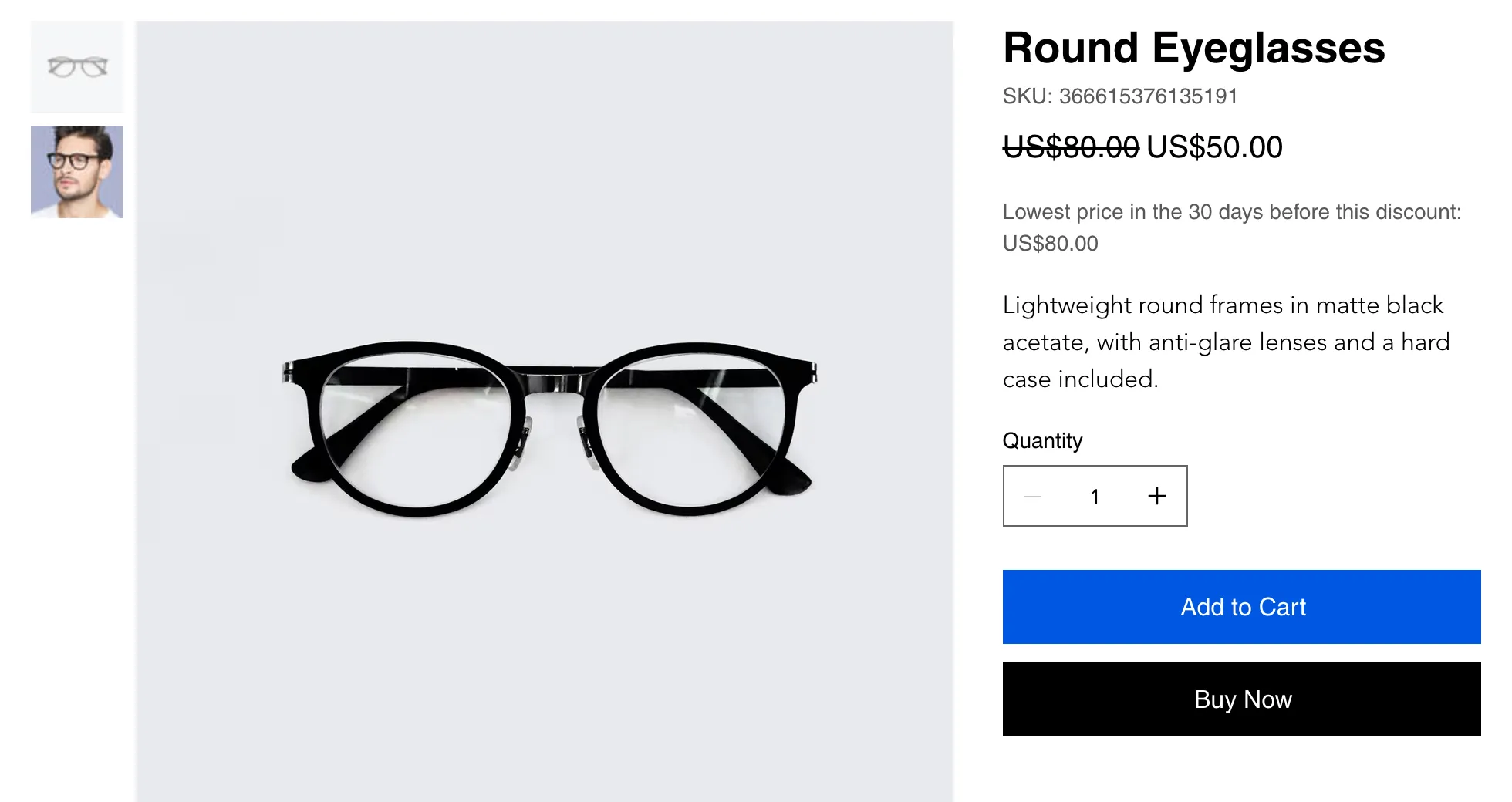
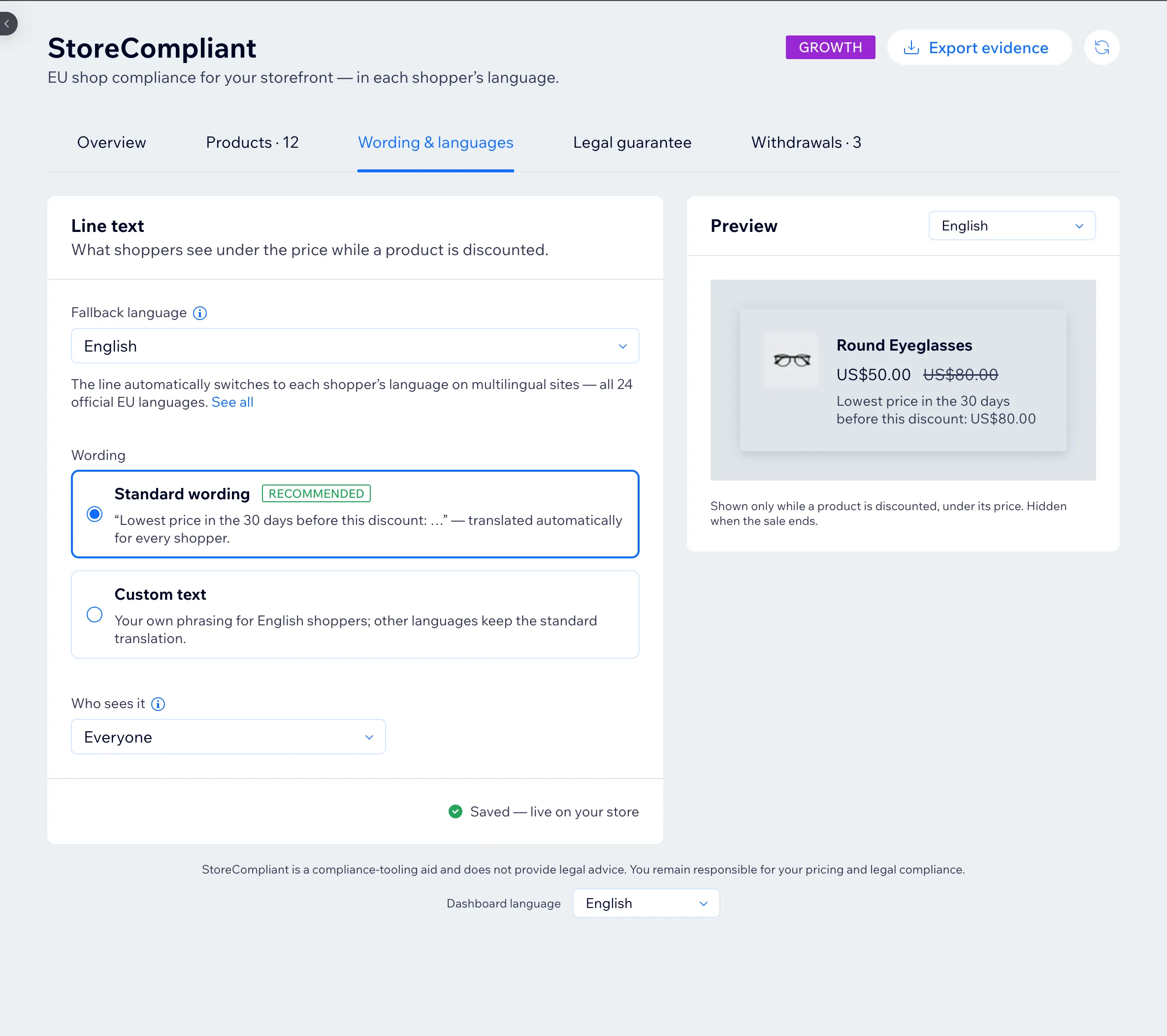
The 30-day lowest price line adds itself to the product page under the price. You do not edit the page or the theme.
The notice and the button appear by themselves
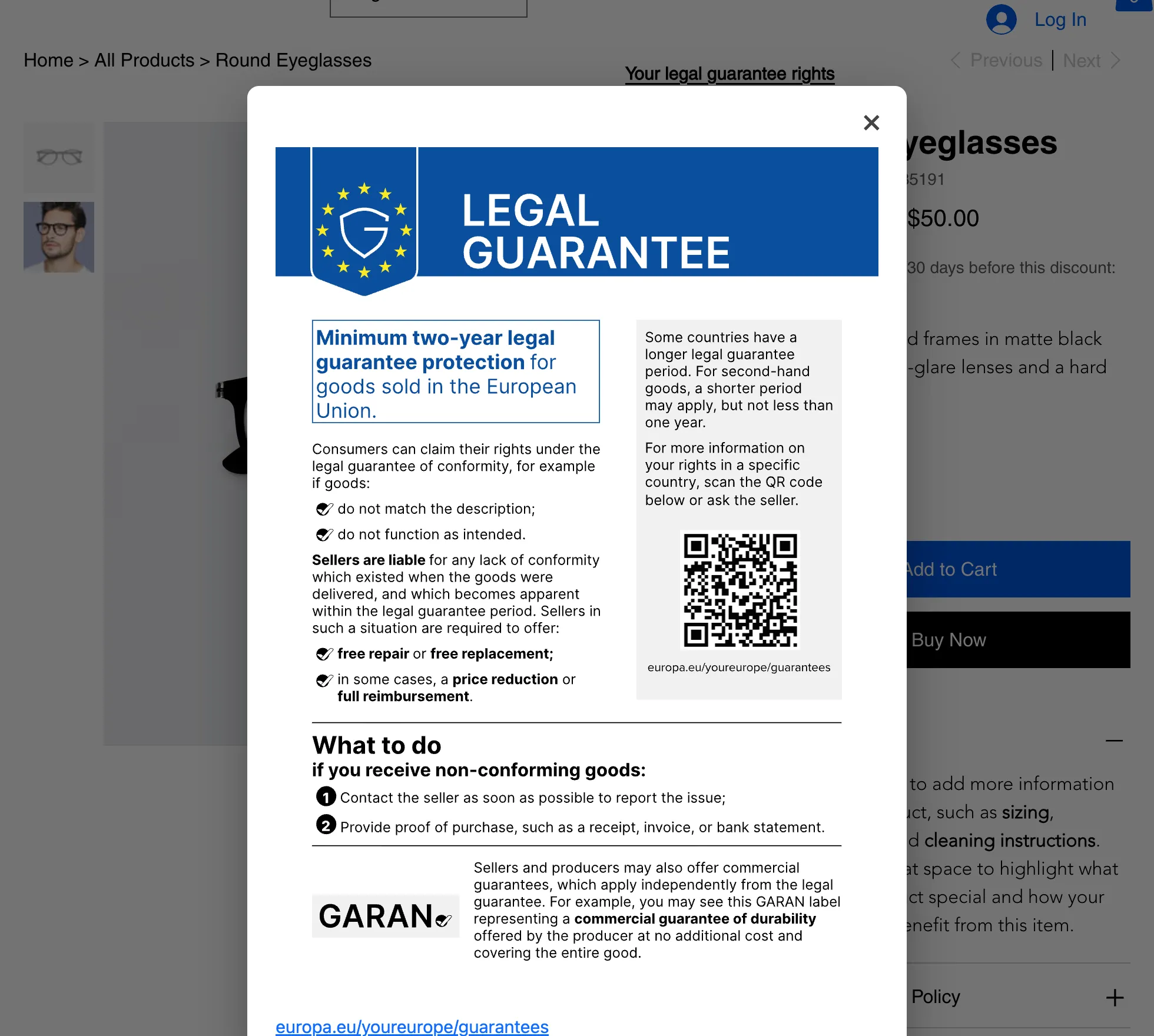
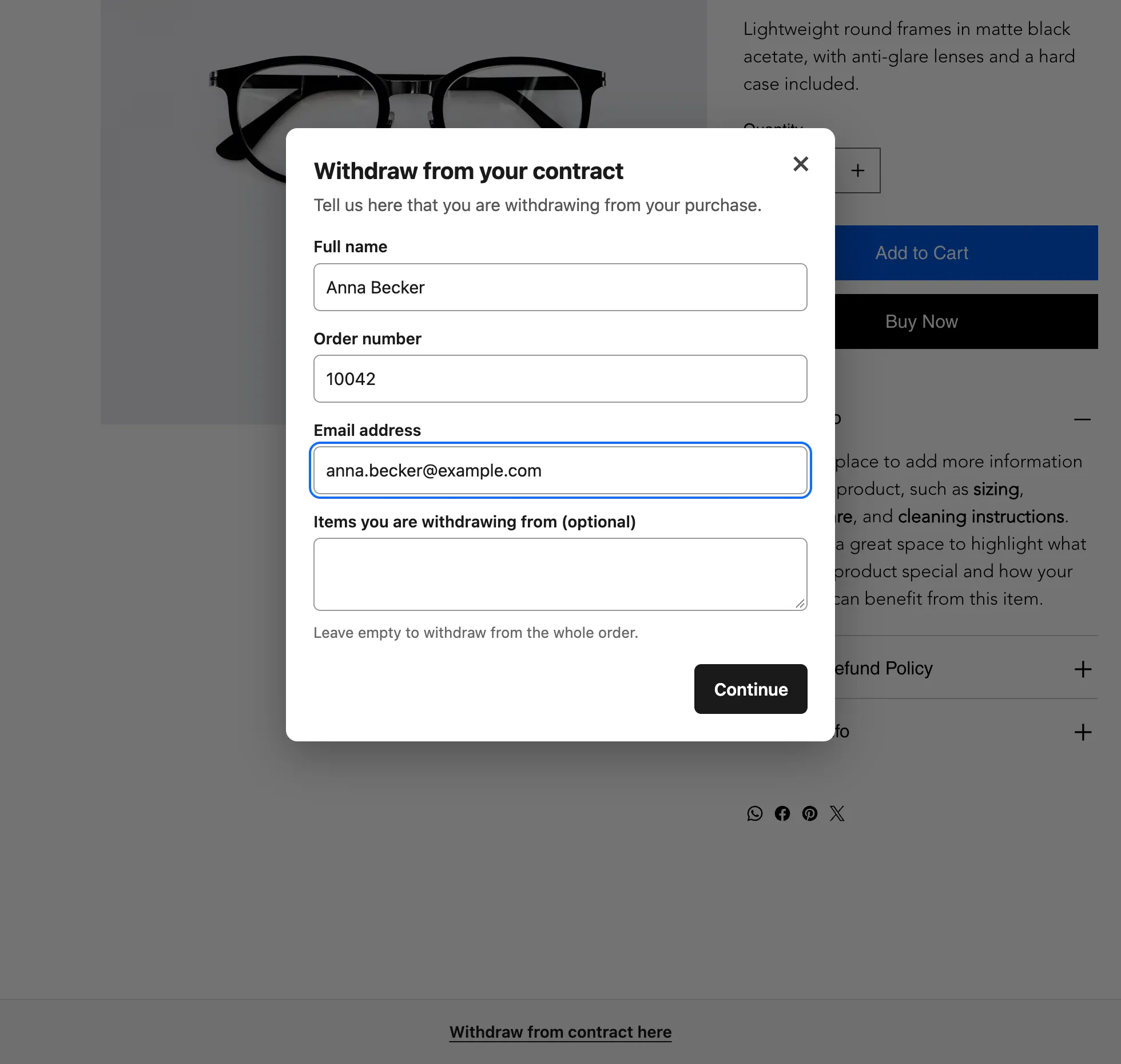
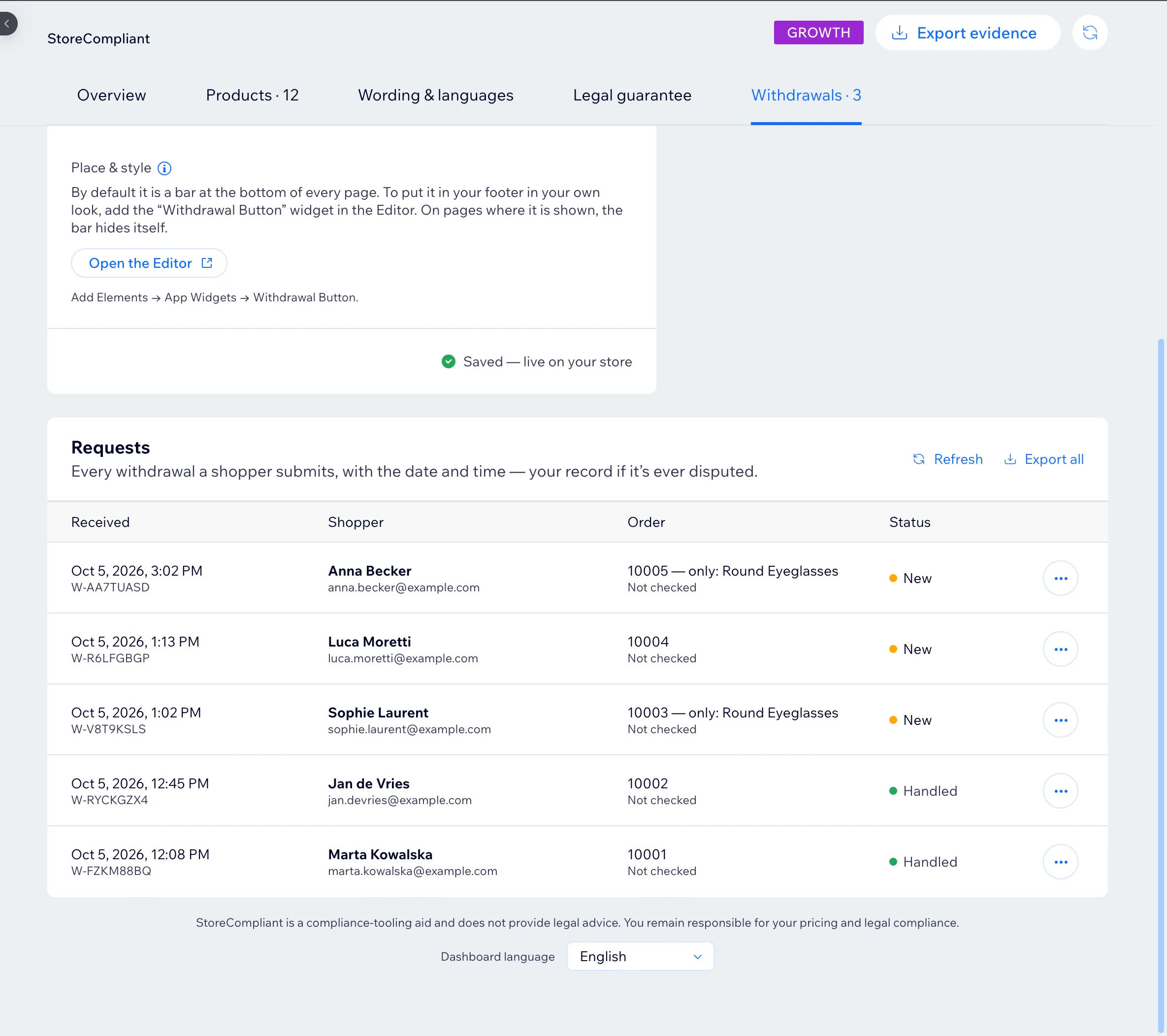
The legal guarantee notice and the withdrawal button show up automatically. You can also place either one as a widget in the Wix Editor: Add Elements, then App Widgets.
Confirmation emails go from your address
The dated confirmation to a shopper who withdraws is sent through Wix Automations, from your shop’s own address.
It follows Wix Multilingual
With Wix Multilingual switched on, each shopper sees the texts in their own language, out of all 24 official EU languages.
It needs Wix Stores
The app reads your Wix Stores catalogue. A site without Wix Stores has no products for it to work with.
The three features in detail: 30-day lowest price, legal guarantee notice and withdrawal button. For what a Wix product page shows today and what the rules add, read Wix Stores and the EU rules for online shops.
Set-up
Five steps from install to a published shop
Set-up takes a few minutes. You decide what is shown; the app does the recording.
- 1
Install the app
Add it from the Wix App Market. It starts recording prices from that moment.
- 2
Follow the Set up tab
The dashboard opens on a short checklist: what to switch on, and what to check on your site.
- 3
Choose what to show
Switch the price line, the guarantee notice and the withdrawal button on or off one by one. The wording is the standard text in each language, so there is nothing to write.
- 4
Place widgets if you want them
Optional. In the Wix Editor, open Add Elements, then App Widgets, and drop the notice or the withdrawal button where your design wants them, for example in the footer.
- 5
Publish and check
Publish your site and open a discounted product. For a product that was already on sale at install, import its earlier prices from a file; until then the app shows nothing for it.
What shoppers and you see
On the storefront and in the dashboard
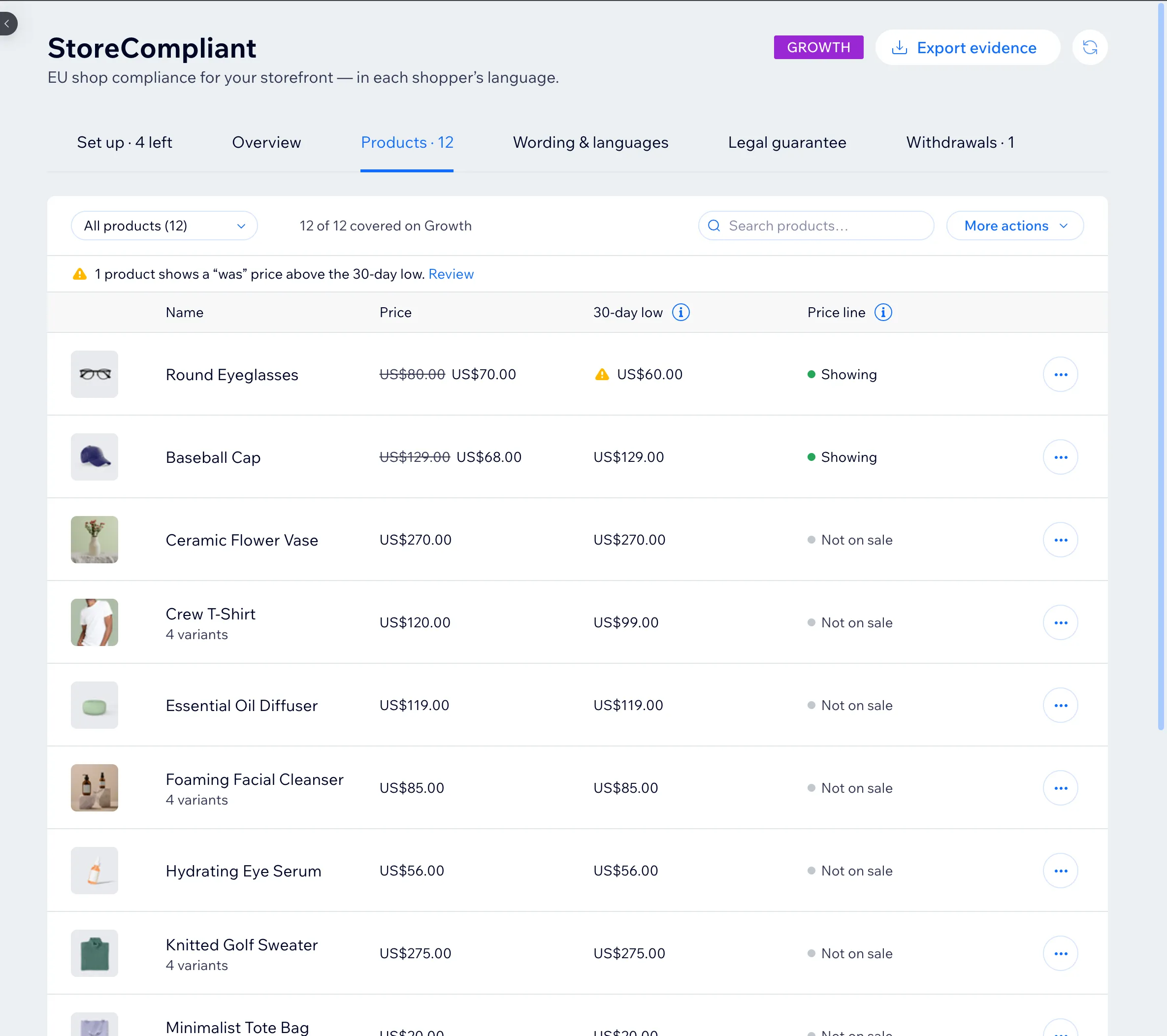
Screenshots from the app.
Pricing
Free up to 50 products, billed through Wix after that
All three features are on every plan. Paid plans start at $4.99 a month and cover larger catalogues, with price evidence export and order checks.
StoreCompliant is a compliance aid, not legal advice. It helps you display information; your prices and your shop stay your responsibility. Read the guides on the 30-day lowest price, the guarantee notice and the withdrawal button.
Questions from Wix merchants
Is StoreCompliant live on the Wix App Market?
Do I need Wix Stores?
Does it work with Wix Multilingual?
Do I have to edit my theme or add code?
Who sends the withdrawal confirmation email?
What about products already on sale when I install it?
What does it cost on Wix?
Put the three EU notices on your storefront
Free for up to 50 products. Set-up takes a few minutes and needs no code.
Shopify is in development and WooCommerce is planned. See all platforms.