Skip to content

Features

Features: what StoreCompliant shows on your shop

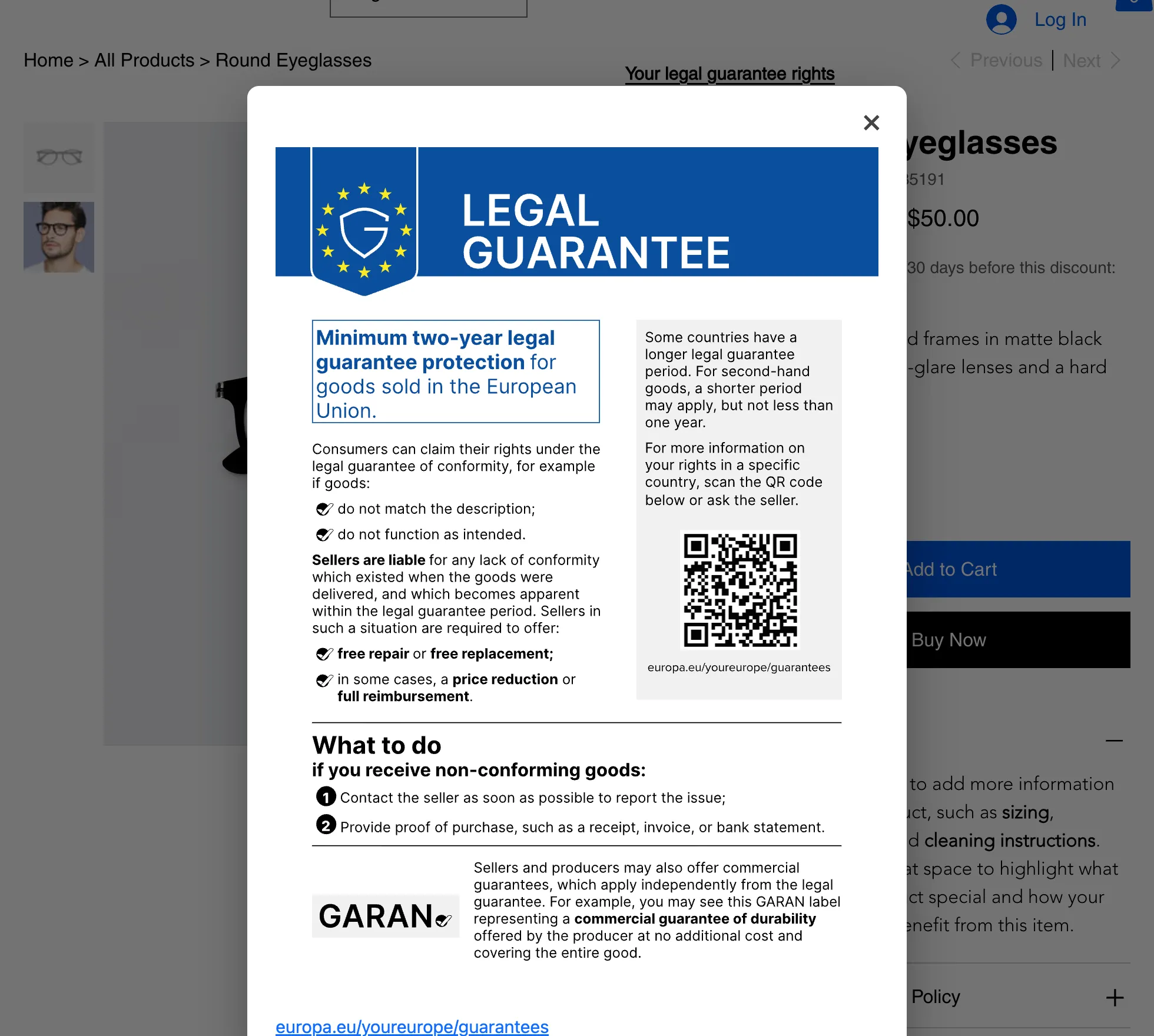
StoreCompliant does three things on a shop that sells to EU consumers, and keeps the records behind them: it shows the 30-day lowest price under each discount, the official EU legal guarantee notice, and a withdrawal button with a log of every request. Each is a separate switch.

Omnibus Directive

The 30-day lowest price line

In force since 28 May 2022

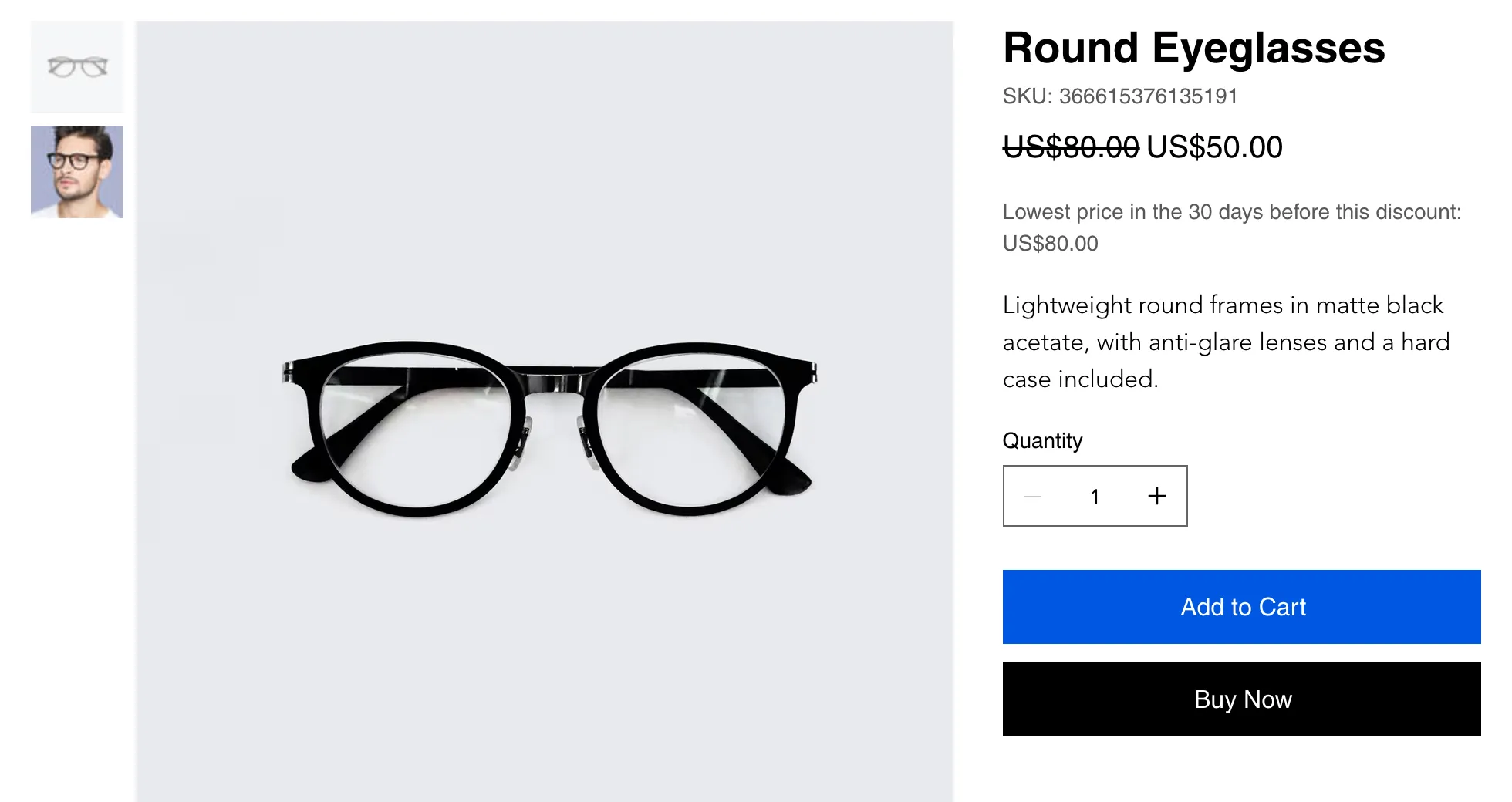
Under a discounted price the app shows one line: “Lowest price in the 30 days before this discount”, followed by the figure. It is there while the product is discounted and gone when the sale ends.

  • Worked out for each variant, so a size or colour with its own price history gets its own figure.
  • A check in the dashboard flags discounts whose crossed-out price is higher than anything on record for the 30 days before the discount.
  • For a product that was already on sale when you installed the app, nothing is shown until you import its earlier prices from a CSV file.
  • Paid plans add a price evidence export (PDF and CSV) and your own wording for the line.
A product page showing a crossed-out price of US$80.00, a sale price of US$50.00 and the line “Lowest price in the 30 days before this discount: US$80.00”.

Directive (EU) 2023/2673

The withdrawal button

Applies from 19 June 2026

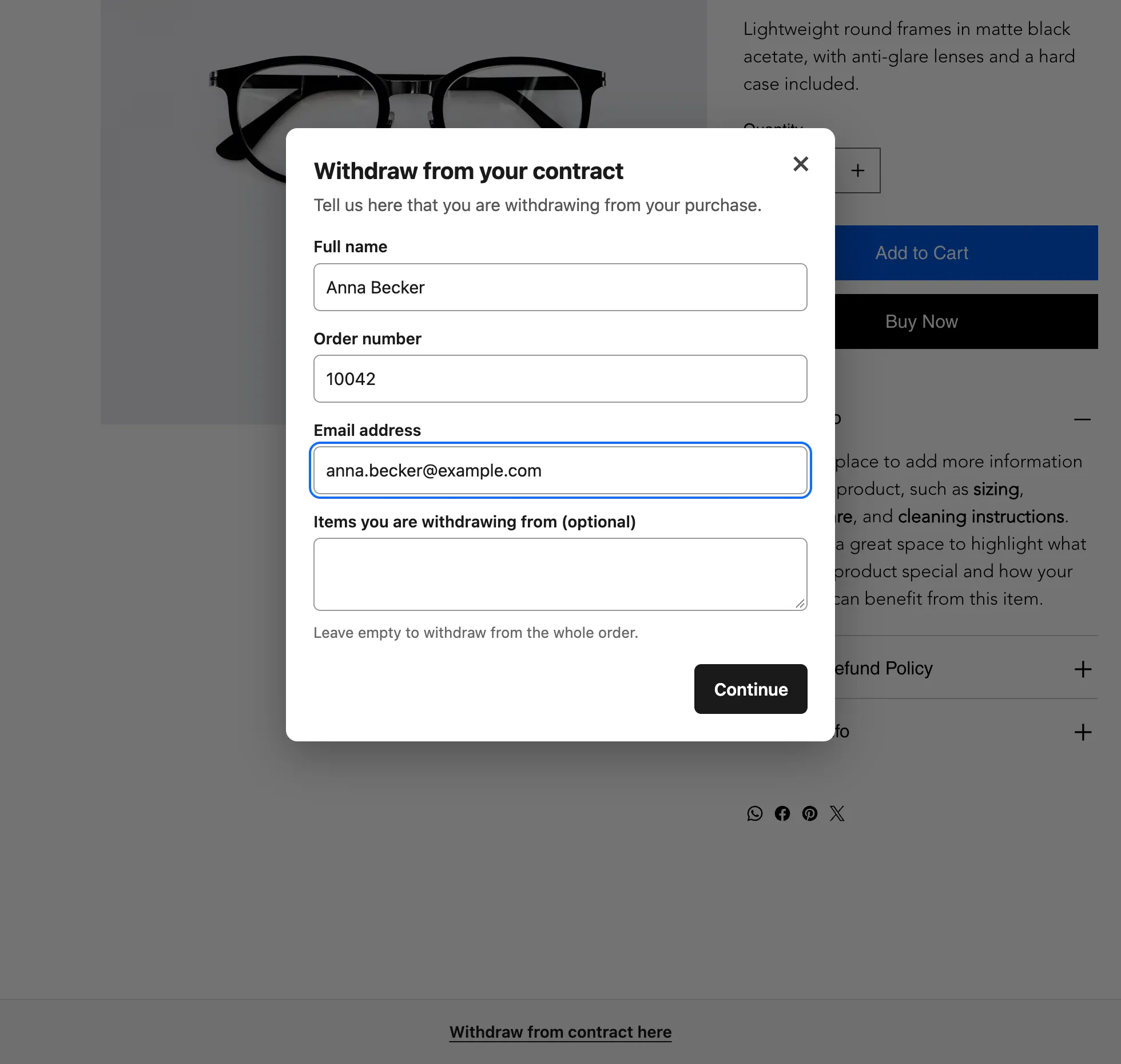
A “Withdraw from contract here” bar on every page, or a widget in your footer, opens a two-step form. The shopper gets a dated confirmation email and you get the request in a log.

  • The form asks for a name, an order number, an email address and, optionally, the items concerned. The shopper then confirms.
  • Every request appears in your dashboard with a reference number, the date and time, and a status: New or Handled.
  • Paid plans check each request against the order it names and export the log as CSV.
The withdrawal form on a shop page, with fields for full name, order number, email address and the items the shopper is withdrawing from.

For all three features

What is true of everything the app shows

The three features are separate switches. You can turn each one on or off on its own. These things hold for all of them.

24 languages for shoppers, 20 for you

Everything a shopper sees is available in all 24 official EU languages, chosen automatically from the language of the shop page, so a multilingual shop needs no extra set-up. The merchant dashboard is available in 20 languages.
Accurate for every variant

Prices are recorded per variant, not per product. If size S was cheaper last week and size L was not, each one shows its own 30-day figure.

EU and EEA visitors only, if you prefer

On paid plans you can show each feature to visitors from the EU and EEA only and leave your storefront as it is for everyone else.

Records and exports

Price changes are recorded from the day you install the app. Withdrawal requests are logged with their date and time. Paid plans export the price evidence as PDF and CSV, and the withdrawal log as CSV.

A set-up checklist

The first time you open the app, a “Set up” tab lists the steps that are left, so you can see at a glance what is on and what still needs a decision.

No code

There is no code to paste and no theme to edit. On Wix the price line adds itself to the product page, and the notice and the withdrawal button can also be placed as widgets from the Wix Editor.

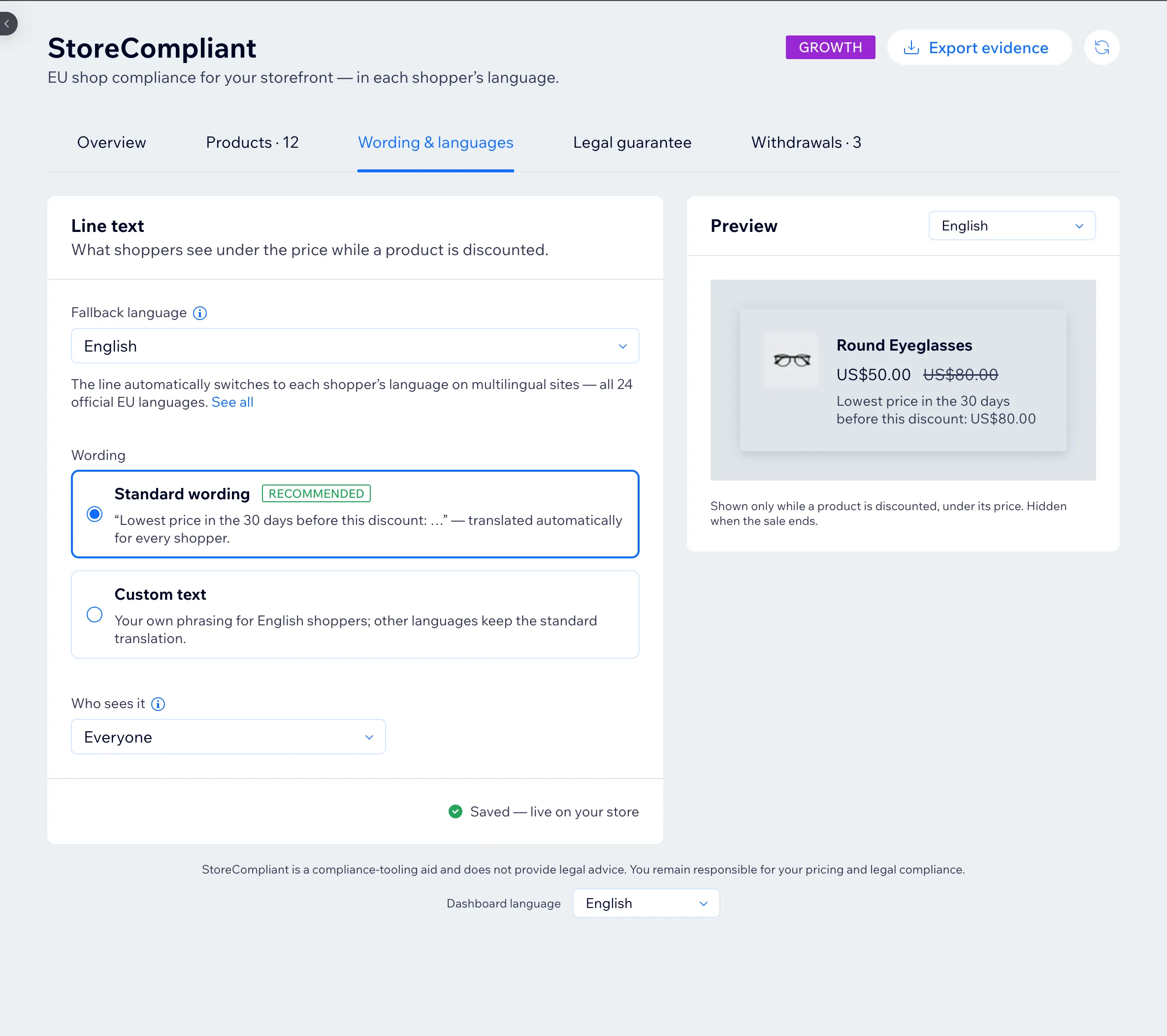
The “Wording & languages” tab of the StoreCompliant dashboard: a fallback language, standard or custom wording for the price line, who sees it, and a preview of the line under a product’s price.

The dashboard

One place to decide what shows, and to whom

The dashboard has a tab for your products, one for wording and languages, one for the legal guarantee notice and one for withdrawals. Each shows a preview or a record of what shoppers see.

  • The standard wording is ready in every language, so there is nothing to write or translate.
  • A preview shows the line as a shopper would see it, in the language you choose.
  • “Who sees it” lets a paid shop limit a feature to EU and EEA visitors.
  • See which plan includes what.

What it leaves to you

A display and a record, not a legal opinion

StoreCompliant is a compliance aid, not legal advice. It shows information on your storefront and keeps records of it.

  • Your prices, your promotions and how the rules apply to your shop stay your decisions. The app flags a discount that needs a look; it does not change it.
  • It handles the three notices on this page. Other duties, such as product safety labelling, cookie banners or your terms and privacy policy, are outside what it does.
  • If you are unsure how a rule applies to you, ask a lawyer.

Compare the ways to show the EU notices Questions and answers

Put the three EU notices on your storefront

Free for up to 50 products. Set-up takes a few minutes and needs no code.

Shopify is in development and WooCommerce is planned. See all platforms.